Join La Meute on Discord!
Come and talk gear, find your squad and take advantage of the offers. Wokism-free zone.
You've just dived back into the Commonwealth and your game is struggling, buggy or lacking that little spark? The pack is here for you. This update broke just about every mod in the game for several weeks - a real digital carnage. But the good news is that the ecosystem is back on its feet, and we've got you covered. the definitive selection of 16 essential mods to turn your post-update experience into a legendary hunting party. Strap on your shelter suit, we're off to the radioactive forest.
The next-gen update of 25 April 2024 has hit the modding community like a nuclear bomb. By changing the runtime version of the game from 1.10.163 to 1.10.980, Bethesda has literally broken all mods using F4SE - almost all serious mods. F4SE developer ianpatt likened the disaster to the Skyrim Anniversary Edition. The result: weeks of chaos, mods abandoned forever, and PC gamers who only got shaky ultrawide support in return.
Today, in 2025, the situation has stabilised. The fundamental tools have been updated, and this selection represents the ultimate survival kit for any stag who wants to enjoy Fallout 4 in the best possible conditions. We go into detail about each mod, why it's crucial, and how to install it without getting your antlers stuck in brambles.

Without F4SE, you can forget about 80% quality mods for Fallout 4. This little gem created by Ian Patterson extends the game's scripting capabilities far beyond what Bethesda allows natively. Customised interface, configuration menus, advanced gameplay functions - everything goes through F4SE.
Current version : silverlock
Crucial installation : You have to launch the game via f4se_loader.exe and not directly from Steam. Extract all the files in the Fallout 4 root folder (where Fallout4.exe is), merge the Data folder with the existing one, and you're done. Clever deer tip: rename f4se_loader.exe to Fallout4Launcher.exe so that Steam launches it automatically.
Compatibility : Steam and GOG work perfectly. Windows Store and Epic Games Store are the problem - if you're on Game Pass, the pack feels for you.
This is the unassuming hero without whom nothing works. The Address Library provides version-independent memory addresses so that the F4SE plugins find the right functions in the game, whatever your version. Without it, your DLL mods crash immediately or refuse to load.
The “All-In-One” version is brilliant: it contains the files for all versions of the game (1.10.163, 1.10.980, 1.10.984, 1.11.169+). Install, forget, it works. Place the file .bin in Fallout 4DataF4SEPlugins and move on.
Mods that depend on it : High FPS Physics Fix, Sprint Stuttering Fix, ShadowBoostFO4... in short, all the important mods on this list.

The Unofficial Patch literally fixes thousands of bugs left by Bethesda: broken quests, floating items, scripts that crash, miscalculated perks, NPCs stuck in walls... The list is monumental. The team behind this patch (the same team that maintains the unofficial patches for Skyrim and Oblivion) have been doing a titanic job for years.
Current version : afkmods
The workshop system scripts have been completely rewritten to be 25 to 90% faster. If you've ever had resource bugs in your colonies that no longer count correctly, this patch fixes that. Load it first in your mod order, just after the game master files, and don't clean it up with xEdit - it's already optimised.

HUDFramework allows mods to add elements to your interface without creating conflict between them. On its own, it doesn't change anything visually - it's a shared library. But as soon as you install Sim Settlements 2 or FallUI, it becomes indispensable.
Without it, you won't be able to display your colonies' need gauges, enhanced companion information or custom widgets. Requires F4SE, installs in two clicks via your favourite mod manager.

The MCM adds a “Mod Config” option to your pause menu, where you can configure all your mods with sliders, checkboxes and keyboard shortcuts. No more editing INI files by hand or using cryptic console commands.
Virtually all serious gameplay mods use MCM for their options. Sim Settlements 2, Better Locational Damage, ShadowBoostFO4... if you want to customise anything, you need MCM. It requires F4SE but doesn't take a plugin slot.
Created by kinggath (the creator of Sim Settlements), Workshop Framework opens up the settlement system to community modifications. It provides APIs so that mods can modify workshops. without creating conflict between them.
Why it's crucial: This is a compulsory dependence from Sim Settlements 2. If you want to automate your settlements or use any advanced construction mod, Workshop Framework is non-negotiable. Load it up after the Unofficial Patch.

Visit THE most important mod if you have a screen faster than 60Hz. Bethesda's Creation Engine links physics speed to framerate - above 60 FPS, objects fly through walls, NPCs run at an accelerated rate, and scripts run too fast. It's chaos.
High FPS Physics Fix dynamically decouples framerate physics by modifying the values of fMaxTime in real time. Result: you can play 144 FPS without the game becoming an unintentional comedy.
The magic bonus : This mod drastically speeds up loading times by disabling VSync during loading screens. On SSD, you go from 60 seconds to 7 seconds loading. Yes, really.
Configure HighFPSPhysicsFix.ini to set your FPS limit (refresh rate - 3 for G-SYNC/FreeSync), activate DisableBlackLoadingScreens=true, and enjoy.

Downtown Boston makes you cry 25 FPS ? ShadowBoostFO4 adjusts dynamically adjust the display distance of shadows depending on the FPS target you set. When the game is struggling, it reduces the shadows. When things are going well, it extends them.
It's the best of both worlds: beautiful shadows in quiet areas, and stable performance in dense neighbourhoods. Average gain : 10-25 FPS in problem areas. Configure fFpsTarget = 60.0 (or your target) in the INI file, and let the magic happen. Warning: don't activate TerrainManager, it causes jerks.

This mod fixes a frustrating bug where the camera jerks when you sprint on uneven surfaces in first-person view. If you've ever felt like your character and the ground are “out of sync” while running along the cracked roads of the Commonwealth, this is exactly that.
The fix smoothes camera transitions during the sprint. No impact on performance - this is purely a bug fix. Install version 1.3 from the optional files, and forget about this problem forever.

Fallout 4's vanilla inventory is an ergonomic nightmare. FallUI has given it a complete overhaul, with an improved display, new item icons, a new search bar, and more information at a glance. Prices, weights, statistics - it's all there without having to rummage around.
The mod is part of the FallUI suite (HUD, Workbench, Map...) but can be installed on its own. Requires F4SE, MCM and Address Library. For optimal display, add these lines to your INI :
[Pipboy] bPipboyDisableFX=1[Display] uPipboyTargetHeight=1400[Display] uPipboyTargetWidth=1752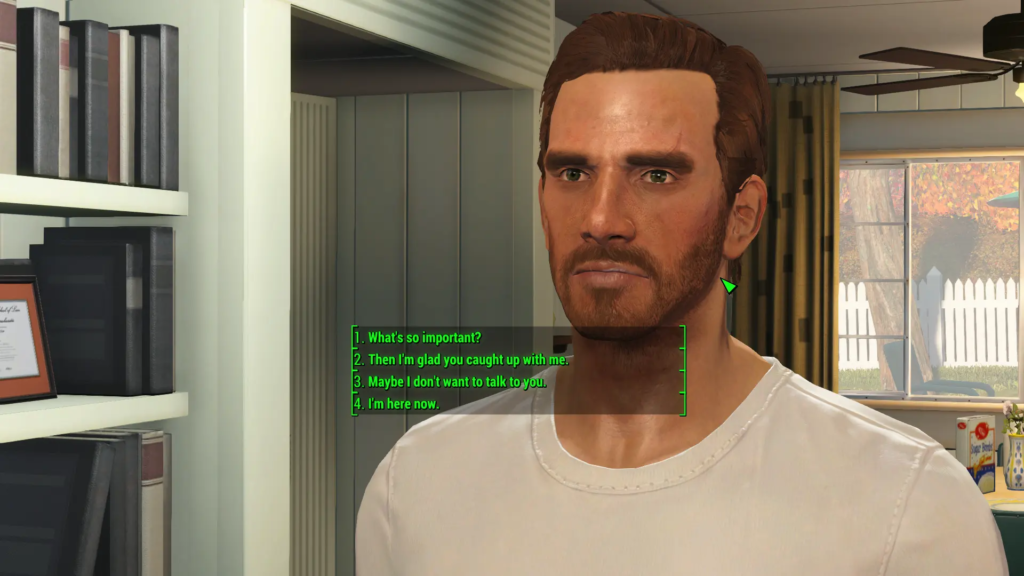
Tired of choosing “Sarcastic” and having your character insult someone's mother? Full Dialogue Interface replaces paraphrased prompts with the full text what your character is going to say. No more nasty dialogue surprises.
The mod supports all languages via its NMM installer. It does not require F4SE in its basic version, which makes it compatible with virtually all configurations. If you're using the Unofficial Patch 2.1.0+, install the String Patch as well to avoid conflicts.
Advanced alternative : Extended Dialogue Interface (XDI) goes further by removing the limit of 4 dialogue options, but only works with the pre-update version (1.10.163).

Fallout 4's vanilla map is unreadable - a greenish mush with invisible roads. This mod replaces it with a high contrast with clearly visible roads, improved topography and marked river banks.
Available options: multiple brightness levels, optional numbered grid, region designations. No dependencies - it's a simple texture replacement that works with all versions of the game, including Next-Gen.
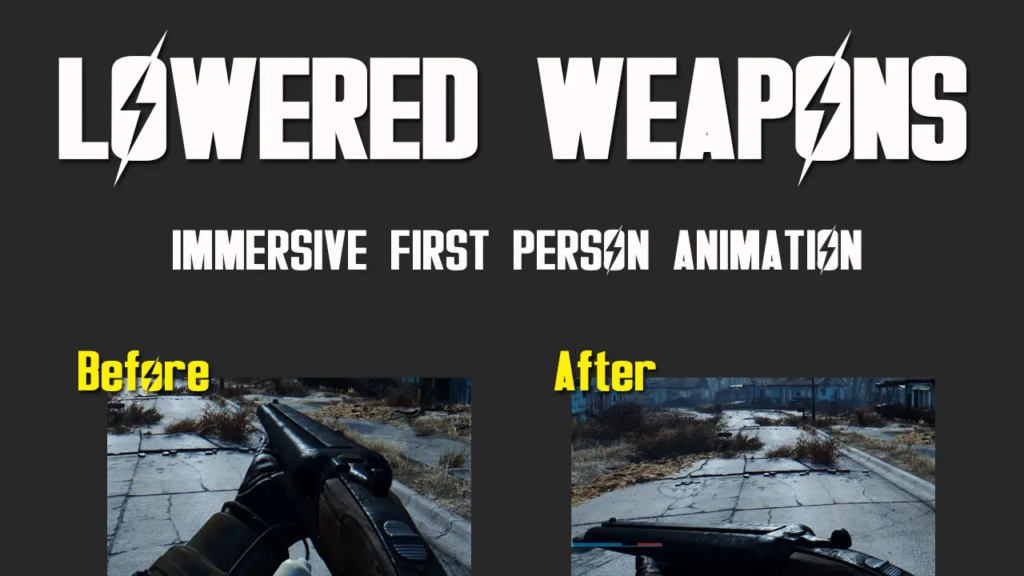
By default, your character points his weapon in front of him 100% of time, Even when you're taking a leisurely stroll. Lowered Weapons automatically lowers your weapon after a moment's inactivity, freeing up your field of vision and making exploration more immersive.
Works with all weapons, including assisted armour. No F4SE dependency - the mod uses animation replacements. Be careful when uninstalling: you need to manually delete the files AND check the integrity of the game on Steam.
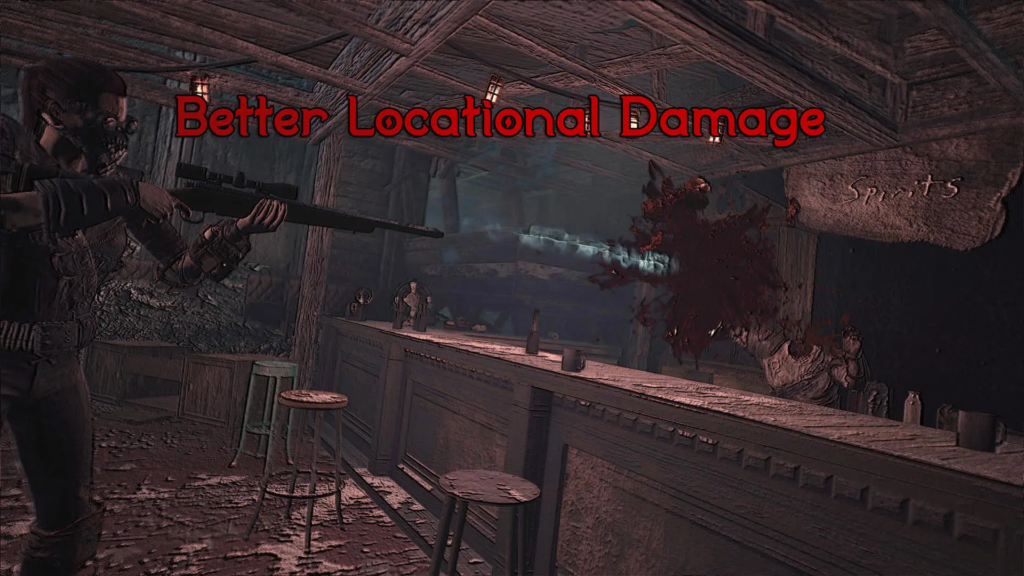
This mod transforms Fallout 4 combat from a sponge enemy RPG into a location-based tactical combat. Headshots do count, but they depend on the calibre: a 10mm pistol will kill a human with a headshot, but not a Super Mutant. You'll need .308 for that.
Calibre damage system :
The mod also includes bleed, stagger, shotgun knockback and medic behaviour for NPCs. Helmets can block headshots. Combat becomes fast, deadly and tactical - for you and your enemies.
Note: The Nexus page has been hidden, but the mod is still available on Bethesda.net. As it uses mainly scripts, it should work with Next-Gen.
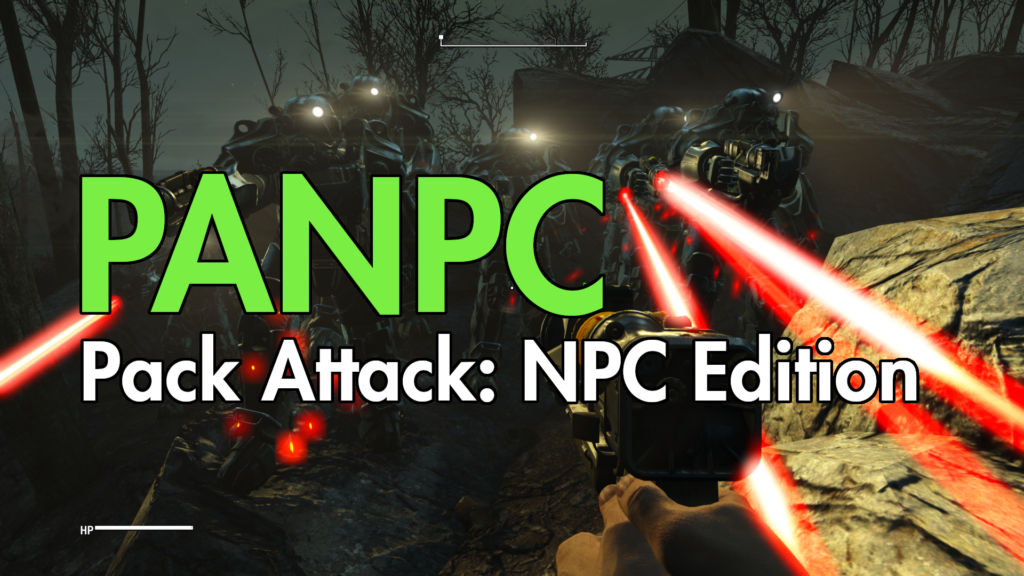
PANPC radically changes the way enemies behave. Instead of running at you like zombies, NPCs communicate with each other, They flank, withdraw, set up ambushes, flee when they are outnumbered, and return in force with reinforcements.
Revolutionary features :
⚠️ Special download required:
PANPC is not no longer available on Nexus. Since version 2.0, the mod has been distributed exclusively via the Discord GreslinGames :
Procedure for downloading :
Public version 2.0 is available to everyone in #releases-public, but recent incremental updates require Citizen status.

Sim Settlements 2 is the settlement mod final for Fallout 4. Instead of placing each bed, each turret and each plant yourself, you define zones (agricultural, commercial, residential, industrial...) and the settlers are assigned to them. build themselves their buildings, which evolve over time.
What Sim Settlements 2 brings :
Current version : 3.5.1 (December 2025), fully Next-Gen compatible
Dependencies : Workshop Framework is mandatory. HUDFramework strongly recommended for on-screen gauges. F4SE improves functionality but is not technically required.
For everything to work harmoniously, install in this order:
With these 16 mods, your post-Next-Gen Fallout 4 will be more stable, more beautiful, more fluid and infinitely more fun than the vanilla game. The April 2024 update may have caused chaos, but the modding community rose to the challenge with flying colours.
Don't forget: always launch the game via f4se_loader.exe, Check that your mod versions match your version of the game, and save regularly. The Commonwealth is dangerous, but with the right equipment, even a deer can survive.
Have you tried this selection? Do you have any suggestions for the pack? Share your experience - together we're rebuilding the Commonwealth, one mod at a time. 🦌
🔴 EXCLUSIVE DISCORD DOWNLOAD
Discord GreslinGames: http://discord.gg/jMUnXDV
COMPULSORY PROCEDURE:
Please note: The public version 2.0 is in #releases-public, but more recent versions require Citizen status.
No deer have been mistreated in the creation of this list of mods.
If you're having trouble with a mod, join the pack on Discord or leave a comment!
Happy modding and welcome back to the Commonwealth! 🎮