


Skyrim Anniversary Edition Modding Guide: Vortex Setup, Load Order and 27 Essential Mods and Tools
Skyrim's August 2026 update (1.7.104) forced every SKSE plugin to be rebuilt. Here is how to set up Skyrim Anniversary Edition with Vortex, which game version to run, how to order your plugins, and 27 mods and tools that are ready for it.
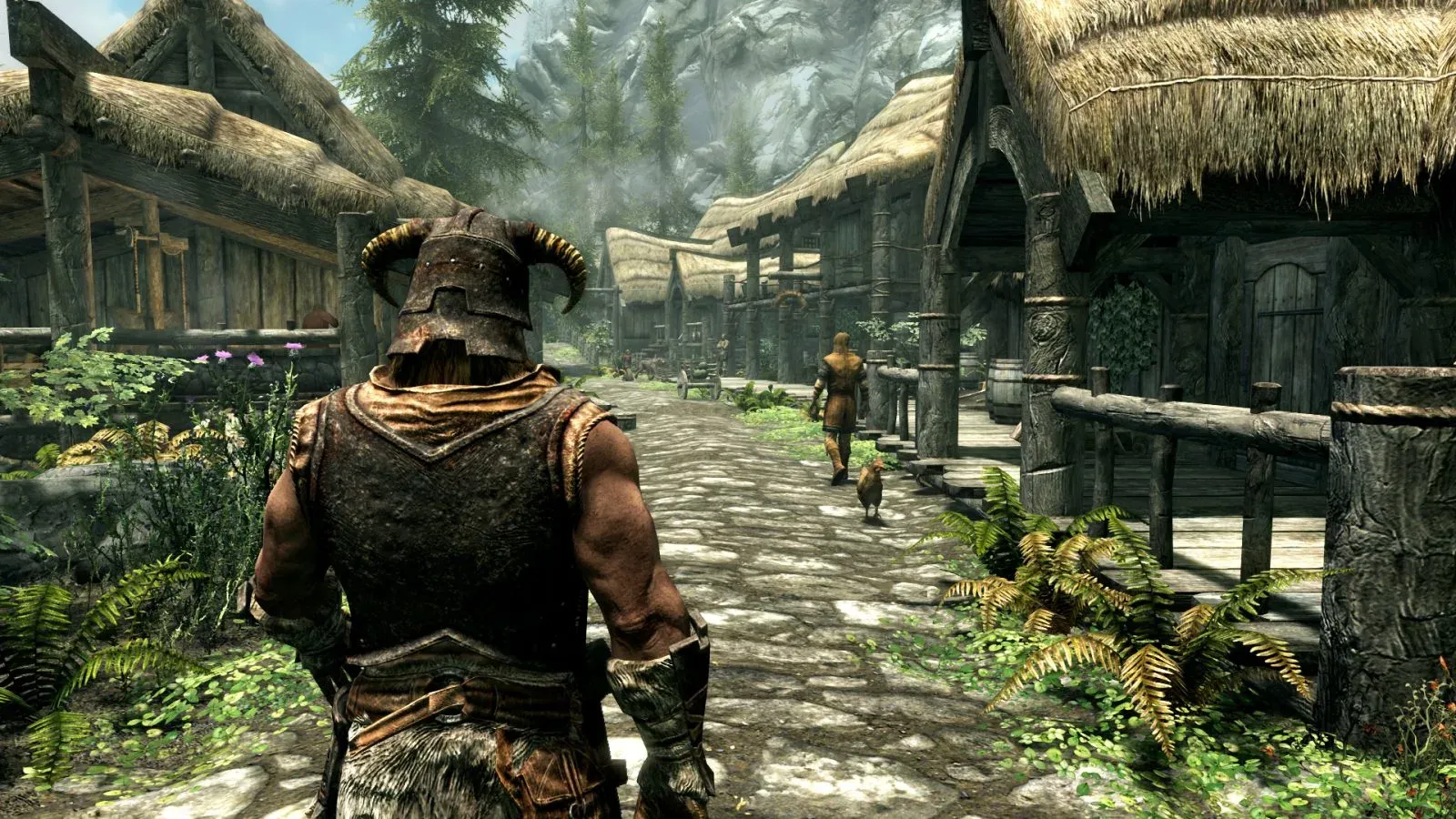
Skyrim is easy to mod and easy to break, and August 2026 made both truer. The 1.7.99 update (August 20), followed by 1.7.104 a week later, changed the game's executable so deeply that every plugin that ships a .dll had to be rebuilt. SKSE and Address Library were updated within days. The rest of the scene is still catching up, one author at a time.
This guide walks you through the whole process for Skyrim Anniversary Edition on Steam: which game version to run, how to set up Vortex, which 23 mods and 4 tools the herd would install first, and how to order and test them. Every mod links to its page, and every card tells you which build to look for.
The short version
- Check your game version, and decide whether to run 1.7.104 or stay on 1.6.1170.
- Install Skyrim outside Program Files, run it once, and stop Steam from auto-updating it.
- Install Vortex and let it manage Skyrim Special Edition.
- Install SKSE and Address Library first. Launch through SKSE and start a new game to confirm it works.
- Add the rest in waves of five to seven mods, testing after each wave.
- Sort your plugins after every wave, and read the warnings.
The 27 mods and tools
Browse everything below, or use the filter to look at one category at a time. Each card links to the mod's page and tells you which build to pick. The steps after the list explain how to install them, and in what order.
 Filter:
⚙️ Foundations & Frameworks
The base layer almost every serious mod stands on. It extends what plugins can do inside the game, and nearly everything in this guide needs it. The August 2026 update forced a rebuild: the Anniversary Edition build 2.3.1 matches game version 1.7.104.
- Download the Anniversary Edition build. On Steam, the current game is the AE build even if you do not own the Anniversary upgrade
- Always launch through SKSE (
skse64_loader.exeor the SKSE tool in Vortex), never straight from Steam - SKSE only supports the latest Steam version of Skyrim. Older runtimes need the older builds on the Nexus files tab
- The Epic Games Store and Windows Store/Game Pass releases are not supported. GOG has its own build (2.2.6, for game version 1.6.1179)

A shared database of memory addresses that lets SKSE plugins find the right game functions instead of hard-coding them for one version. When Skyrim updates, this is the first file to refresh after SKSE. Version 13 covers 1.7.104, and its All in One file lists every game version up to it.
- Download the All in One file for your game version from the Files tab
- Required by Engine Fixes, Community Shaders, QuickLoot IE, Open Animation Replacer and most other plugins in this guide
- If a plugin says it is missing an address or must be recompiled, that plugin is older than your game. Update the plugin, not Address Library
The interface mod that gives Skyrim searchable inventories, sortable menus and the Mod Configuration Menu (MCM) that most mods use for settings. SkyUI 6 is the community update of SkyUI 5.2 SE: it folds in the community's fixes, supports every game version from Special Edition 1.5 to the latest, and adds automatic 32:9, 21:9 and 4:3 support.
- Backwards compatible with mods that need SkyUI 5.2 SE
- Some MCM and favourites settings can reset when you update from 5.2, so note down any settings you care about first
- Adds an Installed Content menu that mods can use to show in-game information
- Needs SKSE. Install it before any mod that has an MCM page
A small helper that powers the in-game settings menus of many modern mods, so authors can ship an MCM page without writing it from scratch. Many popular mods list it as a requirement, and without it their menu is blank or missing.
- Works alongside SkyUI 6. After you update SkyUI, update MCM Helper as well
- If a mod's menu is empty or shows raw
$text, check that SkyUI, MCM Helper and that mod are all current before blaming the mod - Needs SKSE and Address Library
Thousands of bugs Bethesda never fixed: broken quests, misplaced objects, missing sounds, wrong perks. Since version 4.3.9 the patch requires Skyrim 1.7.99 or newer. Version 4.3.9c (September 5, 2026) is the newest at the time of writing.
- Do not clean it with xEdit: the team already cleaned it
- Load it right after the official masters and the Creation Club files, before your other mods
- Do not uninstall it mid-playthrough. The team gives no support for saves that continue after removal
- Staying on 1.6.1170? The last release for 1.6.1130 and newer is 4.3.8a (March 20, 2026)

Anniversary Edition ships dozens of Creation Club files, and many of them clash with the Unofficial Patch or carry bugs of their own. Garthand's bundle fixes the content and resolves those conflicts. It is the AE-specific must-have. Version 8.5 (August 3, 2026) added fixes for Hearthfire Homestead and Necromantic Grimoire.
- Install it right after USSEP: it patches Creation Club content
- Each patch needs the Creation it fixes. If Vortex flags a missing master, you do not own that Creation, so leave that patch disabled
- Do not clean Creation Club files with xEdit
A scripting library that many mods quietly depend on for saving data and handling arrays and files. You rarely notice it, until a mod fails to start without it. Version 4.8 (August 30, 2026) is the newest at the time of writing.
- It is a requirement, not a feature: install it once and forget it
- Needs SKSE. Pairs with powerofthree's Papyrus Extender
More than 370 new Papyrus functions and dozens of events for mod authors, used by a large part of the modern mod scene. Version 6.5.2 (September 5, 2026) is the newest at the time of writing.
- Needs SKSE and Address Library
- After an update, an old copy of this DLL is one of the first things to check when the game crashes on launch
🛡️ Stability & Performance
Patches memory problems and engine bugs in the executable itself, preventing many crashes, corrupted saves and loading-screen hangs in heavily modded lists. The author published new 7.0.21 builds in late August 2026 for the new runtime.
- Use the build marked for your game version on the Files tab, and let the author's installer pick the files
- Community Shaders lists it as a requirement
- Needs SKSE and Address Library
An FPS limiter, borderless windowed mode with refresh-rate control, and the physics fix that lets you run above 60 FPS without objects flying around. Version 0.5.25 (August 29, 2026) lists support for Special Edition 1.5 through Anniversary Edition 1.7.
- Needs SKSE and Address Library (version 13 or newer on 1.7.104)
- Set a frame cap just under your monitor's refresh rate in its INI file
- Skip its upscaling options if you use Community Shaders, which has an upscaler of its own
- Vanilla Skyrim ties physics to frame rate, so stay at 60 FPS until this is installed
When the game crashes, this writes a readable report that points at the likely culprit. Without it you are guessing; with it, a crash becomes one line to look up. Its page recommends it over the older Trainwreck.
- Pick the file that matches your game version
- Reports are saved in the SKSE folder under
Documents\My Games\Skyrim Special Edition - Look for the DLL name in the first lines, then check that mod's page for a build for your version
🌄 Graphics & Atmosphere

The community-built graphics framework: modern lighting, cloud shadows, snow and rain effects, terrain improvements and a built-in upscaler. Version 1.9.1 (September 24, 2026) is the current stable release.
- Needs Address Library and SSE Engine Fixes
- Download the release from Nexus. The GitHub page also lists many numbered
prbuilds: those are test builds, not for a game you play daily - Many weather and lighting mods now ship a Community Shaders version (Cathedral CS, Lux CS)
- Start with the default features and add more once the game runs well

A weather overhaul: new skies, clouds, rain and fog, with regional weather variety and optional seasons. It is plugins and textures only, so it does not depend on the game version. Community Shaders users can add Cathedral CS on top.
- Use one weather mod only
- Cathedral CS (updated February 8, 2026) needs Cathedral Weathers and Seasons, Community Shaders and Cloud Shadows for Community Shaders
- Data-only: no DLL, so no Address Library worries

Lux relights Skyrim's interiors (every lantern, hearth and window) and Lux Orbis does the same outdoors. They are designed to work together and change how Skyrim feels after dark.
- Lux Via is a hard requirement of Lux Orbis. It comes in the Via file or as a separate download
- Each has a Patch Hub that carries the compatibility patches, so install it too
- On Community Shaders, use the Lux CS version (it needs a few helpers listed on its page)

Reshapes Skyrim's mountains with new meshes and textures rather than a simple retexture, which is why it is the usual first landscape install. Majestic Landscapes adds matching ground textures.
- Pairs with Majestic Landscapes for matching terrain
- Skyland AIO 4.01 includes alpha-map updates so Skyland rocks do not look shiny next to Majestic Mountains
- Data-only: textures, meshes and a plugin
Every Skyland landscape and architecture texture in one download, built from 4K 3D scans of real surfaces. It retextures everything from terrain to dungeons.
- Textures are the biggest video-memory cost in a mod list. If the game stutters, step down to lower-resolution texture files or skip this one
- Never stack two full texture overhauls over the same assets: the one that deploys last simply wins
- Data-only: no DLL
🖥️ Interface & Quality of Life
A fast loot menu that lets you take items from containers and corpses without opening the full screen. QuickLoot IE is the actively maintained fork. Version 4.0.0 did not work on 1.7.104; the fix landed in the 4.1 releases in September 2026, with 4.1.3 on September 19.
- Needs Address Library
- Optional: Inventory Interface Information Injector adds proper item icons
- If you installed 4.0.0 earlier, replace it with the current release
Rewrites how the crosshair picks objects in third person, so you stop fighting tiny items on the floor. It works on 1.7.104 with Address Library 13 and SKSE 2.3.1.
- Needs SKSE and Address Library
- An old incompatibility with Dynamic Activation Key has been fixed
- Skip it if you only play in first person
⚔️ Gameplay & World
Skip the Helgen cart ride and begin as a different life: a hunter in the forest, a merchant in a city, and more. Arthmoor's classic requires Skyrim 1.7.99 or newer and USSEP 4.3.9 or newer.
- Pick your race first, then a starting life
- Use it on a new character, never on an existing save
- Additional Starts for Live Another Life adds more options
Restores dialogue and content Bethesda cut or never finished, leaving Skyrim a little more complete. Another Arthmoor mod: it needs Skyrim 1.7.99 or newer and USSEP 4.3.9 or newer.
- Needs USSEP. Let LOOT place it after the patch
- Safe to add to a new game; check its page before adding it to an old save
Rebuilds every perk tree with 469 new perks, designed so different builds feel different. It is the most popular perk overhaul for a reason.
- Choose one perk overhaul. Vokrii is the lighter alternative, and the two do not mix
- Start a fresh character: swapping perk mods on an existing save causes trouble
- Check the Requirements and patches sections on its page for any mods you add later
A framework that swaps animations based on conditions (weapon, race, movement) and powers a large share of modern animation packs. Version 3.2.1 (August 31, 2026) arrived right after the runtime change.
- Needs SKSE and Address Library
- It is only the engine. Install it before any animation pack that lists it
- Supports Special Edition, Anniversary Edition and VR
Modern third-person gameplay: move and attack in any direction, with an optional target lock, a target reticle, head-tracking and mount support. Version 2.3.1 appeared on September 1, 2026.
- Needs SKSE and Address Library
- Third-person focused. Skip it if you play in first person
- Make sure you have the September 2026 build or newer on 1.7.104
🧰 Tools You Need
The easiest way into Skyrim modding. It downloads, installs, deploys and sorts, and it keeps your game folder clean because mods live in a separate staging folder. Vortex 2.8.0 (October 6, 2026) rebuilt the Games page, added a download flyout and a one-click Support Bundle, and put Deploy and Purge front and center.
- A free Nexus Mods account is required to download through it
- Put the staging folder on the same drive as the game so Vortex can link files instead of copying them
- Collections let you install a whole list at once. Always read a collection's required game version first
The Load Order Optimisation Tool sorts your plugins and flags problems such as missing masters and known conflicts. Vortex uses LOOT's sorting, but the standalone app shows the full messages. Version 0.29.2 (August 16, 2026) is current.
- Sort after every batch of mods
- Read the notes, not just the order: they tell you which patches and cleaning steps a plugin needs
- Do not clean the official masters or Creation Club files
A diagnostic mod made for exactly this moment. It reads your SKSE plugins at startup and names the ones that will not load on your game version, which plugin a save needs that is missing, and which mods' menus may show raw $ text. It reports only: it never changes your plugins, load order or saves.
- Install it before you start adding DLL mods
- It adds to the game's and SKSE's own warnings, so read all of them
Patches the Steam version of Skyrim between 1.7.104, 1.6.1170 and 1.5.97, so you can keep an older mod list working or move forward again later.
- Steam only
- After downgrading, set the game's Steam update option to Only update this game when I launch it
- Mods that require 1.7.99 or newer (USSEP 4.3.9 and up, Arthmoor's mods) will not work after a downgrade. Use their older releases
Step 1: Pick your Skyrim version
Skyrim Anniversary Edition is Special Edition plus the Anniversary Upgrade: about 70 extra Creation Club items on top of the four free ones (Survival Mode, Fishing, Saints & Seducers and Rare Curios). For mods, what matters is the game's version number, because SKSE plugins are built for one specific runtime. You have two paths.
Run 1.7.104 (recommended)
- This is what Steam gives you today, and where the scene is moving: SKSE, Address Library, USSEP and Arthmoor's mods now target it
- Needs SKSE 2.3.1 and Address Library version 13
- Before installing any DLL mod, check its page for a 1.7 build. Open Animation Replacer 3.2.1, True Directional Movement 2.3.1 and QuickLoot IE 4.1.3 are examples
- A few older plugins may still be waiting for an update. Mod Doctor tells you which
Stay on 1.6.1170
- Use the Best of Both Worlds Downgrade Patcher (Steam only), then set Skyrim to update only when you launch it
- Older mod lists keep working, but USSEP 4.3.9 and newer, and Arthmoor's mods that need it, will not. The last USSEP for 1.6.1130 and newer is 4.3.8a
- Use the older SKSE build from the Nexus files tab
- Good for finishing a long playthrough, a poor choice for a brand-new list
SkyrimSE.exe, choose Properties, then the Details tab. The file version reads 1.7.104.0 or 1.6.1170.0.Step 2: Prepare your PC and your game
- Install Skyrim outside Program Files. Windows permissions there cause trouble for mods. A second Steam library on another drive (for example
D:\SteamLibrary) is ideal. - Run the vanilla game once to the main menu, open Settings, then quit. That creates the INI files Vortex and many mods edit.
- Stop Steam from updating behind your back. Right-click Skyrim in Steam, open Properties, then Updates, and choose Only update this game when I launch it.
- Turn off cloud saves for Skyrim in Steam, and keep your Documents folder out of OneDrive's sync. Mod-heavy saves and cloud sync do not get along.
- Update the basics: graphics drivers, DirectX 11 and the Microsoft Visual C++ 2015 to 2022 redistributables (both x64 and x86). Many SKSE plugins will not load without them.
- Cap the frame rate at 60 for now. Vanilla Skyrim ties physics to the frame rate. You can lift the cap safely once SSE Display Tweaks is installed.
- Back up your saves: copy
Documents\My Games\Skyrim Special Edition\Savesbefore the first mod goes in.
Step 3: Set up Vortex
Vortex is Nexus Mods' own manager and the friendliest option for a first list. Mod Organizer 2 is the other popular choice, and it suits people who want a fully virtual file system. The steps below are for Vortex.
- Download Vortex from Nexus Mods and install it. At the time of writing the current version is 2.8.0. Log in with your free Nexus Mods account.
- On the Games page, find Skyrim Special Edition (Vortex lists the games it detected first) and choose Manage. The Anniversary Edition uses the same entry.
- Open Settings, then Mods, and check the staging folder. Keep it on the same drive as the game so Vortex can use hardlinks instead of copying files.
- Install SKSE: on its Nexus page, open the Files tab and use the manager download button on the Anniversary Edition build. If the Skyrim Script Extender tool does not appear on the Dashboard, add
skse64_loader.exefrom the game folder as a tool. - Install Address Library (the All in One file for your version) the same way. Deploy, then confirm both show as enabled.
- Add the other mods with the Mod Manager Download button. When an installer (a FOMOD) asks questions, keep the defaults unless the mod page says otherwise.
- Click Deploy Mods on the Mods tab. Vortex only changes your game folder when you deploy, and Purge removes every deployed file if you need to start over.
- Open the Plugins tab, enable the plugins and sort them. Vortex sorts with LOOT's engine, so you rarely need to move anything by hand.
- When two mods contain the same file, the one that deploys last wins. Vortex lights up Manage Rules on the Mods tab when conflicts are waiting, and you can set which mod loads after which.
- Launch the game through SKSE, start a new game and check the main menu for warnings. The SKSE log (
skse64.loginDocuments\My Games\Skyrim Special Edition\SKSE) lists every plugin it loaded and every one it refused.
Step 4: Install the mods in waves
Do not install all 27 at once. Install a wave, launch through SKSE, start a new game, and only then continue. When something breaks, you will know exactly which wave caused it.
- Wave 1, foundations: SKSE, Address Library, SkyUI 6, MCM Helper, USSEP, the Creation Club patches and the two scripting libraries.
- Wave 2, stability: SSE Engine Fixes, SSE Display Tweaks and Crash Logger, plus Mod Doctor.
- Wave 3, graphics: Community Shaders, then weather, lighting, mountains and textures.
- Wave 4, interface and gameplay: a few at a time, finishing with the mods that need a new character.
Recommended install order
Install in this order. It is not the plugin load order, but it keeps requirements ahead of the mods that use them.
| # | Mod | Category | Notes |
|---|---|---|---|
| 1 | Skyrim Script Extender (SKSE64) | Foundation | Install first. Keep the loader and DLLs in the game folder |
| 2 | Address Library for SKSE Plugins | Foundation | Right after SKSE. Needs no configuration |
| 3 | SkyUI 6 | Foundation | Before anything with an MCM menu |
| 4 | MCM Helper | Foundation | After SkyUI |
| 5 | Unofficial Skyrim Special Edition Patch (USSEP) | Foundation | First plugin after the masters and Creation Club files |
| 6 | Unofficial Skyrim Creation Club Content Patches | Foundation | Straight after USSEP |
| 7 | PapyrusUtil SE | Foundation | With the other libraries |
| 8 | powerofthree's Papyrus Extender | Foundation | With the other libraries |
| 9 | SSE Engine Fixes | Stability | Early, before graphics mods |
| 10 | SSE Display Tweaks | Stability | After Engine Fixes |
| 11 | Crash Logger SSE AE VR | Stability | Early, so it can catch everything after it |
| 12 | Community Shaders | Graphics | Before weather and lighting |
| 13 | Cathedral Weathers and Seasons | Graphics | After Community Shaders |
| 14 | Lux and Lux Orbis | Graphics | After your weather mod |
| 15 | Majestic Mountains | Graphics | Before Skyland AIO |
| 16 | Skyland AIO | Graphics | After Majestic Mountains |
| 17 | QuickLoot IE | Interface | After SkyUI |
| 18 | Better Third Person Selection | Interface | With the other interface mods |
| 19 | Alternate Start - Live Another Life | Gameplay | After USSEP. Start a new game with it |
| 20 | Cutting Room Floor | Gameplay | After USSEP |
| 21 | Ordinator - Perks of Skyrim | Gameplay | Before patches that mention it |
| 22 | Open Animation Replacer | Gameplay | Before animation packs |
| 23 | True Directional Movement | Gameplay | After OAR |
How your load order should look
Skyrim has two orders that matter. File priority (the Mods tab) decides which mod wins when two contain the same file. Plugin load order (the Plugins tab) decides which plugin overrides which. LOOT handles most of the second one, and this is the shape it should end up in:
- The official masters:
Skyrim.esm,Update.esm,Dawnguard.esm,HearthFires.esmandDragonborn.esm. - The Creation Club files, named
cc*.esmandcc*.esl. - USSEP, then the Unofficial Skyrim Creation Club Content Patches.
- Frameworks, libraries and resource packs.
- World and content mods: weather, lighting, textures, Alternate Start, Cutting Room Floor.
- Gameplay overhauls: perks, combat, animations.
- Compatibility patches last. A patch always loads after the mods it patches.
What to pay attention to
- Read before you click. Check every mod's requirements and Files tab, and match the build to your game version.
- Go slowly. Install five to seven mods at a time, launch, test, and sort after every batch.
- Never remove a scripted mod mid-playthrough. Scripts leave data in your save, and removing the mod can corrupt it.
- Make hard saves and keep the last few. Do not rely on autosave.
- Do not clean the official masters, the Creation Club files or USSEP with xEdit.
- Choose one of each kind: one perk overhaul, one weather mod, one lighting setup. Stacking them causes conflicts and crashes.
- Be careful with DLLs. Re-uploads described as rebuilt for 1.7.104 by people other than the author exist, and a DLL runs code on your PC. Prefer the author's own page.
- Match textures to your video memory. Textures are the most common cause of stutter and out-of-memory crashes.
- Always launch through SKSE. Use Vortex's tool or point your shortcut at the SKSE loader.
- One source per mod. Mods installed from the in-game Creations menu are managed by the game, not Vortex, so never end up with two copies.
- Keep a change log: one mod added, one note. When something breaks, you will know where to look.
When something breaks
Change one thing at a time, and test a new game before blaming an old save. Most problems after an update come from one plugin that has not caught up yet.
| What you see | Likely cause | What to do |
|---|---|---|
| The game closes right after launch, or crashes before the main menu | A plugin built for a different game version, or SKSE or Address Library out of date | Re-check your version (Step 1). Read skse64.log for plugins SKSE refused to load, then update or remove those. Mod Doctor names them in plain language. |
| A message says a plugin is missing an Address Library ID or must be recompiled | That mod has no build for your game version yet | Open its Files tab and look for a 1.7 build. If there is none, disable the mod until its author updates it. |
| The Mod Configuration menu is missing or empty | SkyUI, MCM Helper or SKSE is not loading | Launch through SKSE, update SkyUI 6 and MCM Helper, and check the mod's own requirements. |
| You installed a mod and nothing changed | It is not deployed, or its plugin is not ticked | Click Deploy Mods on the Mods tab, tick the plugin on the Plugins tab, then relaunch through SKSE. |
| Random crashes after 20 or 30 minutes | A conflict, a heavy texture pack or a script-heavy mod | Open the Crash Logger report and note the DLL it names. Disable mods in halves to find the culprit, and lower texture sizes if video memory runs out. |
| The Plugins tab shows a red warning or a missing master | A required mod is not installed or not enabled | Install the missing master, or disable the plugin that needs it, then sort again. |
| Steam updated Skyrim and everything stopped working | The game runtime changed under your mod list | Wait for SKSE and Address Library to catch up, or use the downgrade patcher and set Skyrim to update only when you launch it. |
Keep reading
- Skyrim Script Extender: official site and current builds
- UESP: every Skyrim Special Edition patch and what it changed
- Bethesda: Skyrim update, August 20, 2026
- AMON Guide 2026 for Special and Anniversary Edition (Nexus Mods)
- Steam guide: The Basics, Modding Skyrim SE Properly
- Vortex releases and changelog (GitHub)
- LOOT documentation
More From The Herd
More reviews and guides from our corner of the forest.